> ## Documentation Index
> Fetch the complete documentation index at: https://kino.ai/docs/llms.txt
> Use this file to discover all available pages before exploring further.
# Logging
> AI-powered logs of all your footage
Kino watches your footage and writes logs you can search. Each clip gets a title, description, transcript, detected people, and highlight markers where available.
 ## What video logging means
Video logging is the process of analyzing footage and creating detailed descriptions of its content. Traditionally done manually by professional loggers, this time-consuming task involves watching every second of footage, often multiple times, and documenting what appears on screen.
Kino does that work during ingest, so editors can skim a library without opening every file.
## How Kino logging works
Kino combines multiple AI technologies to analyze your footage:
* Computer vision identifies objects, scenes, people, and actions.
* Speech recognition captures dialogue.
* [Face detection](/docs/people-detection) tracks people across your footage.
* Optional prompts can focus logs on details like jersey numbers, locations, or product names.
The result is time-coded metadata that helps you understand a clip before you play it.
## Features
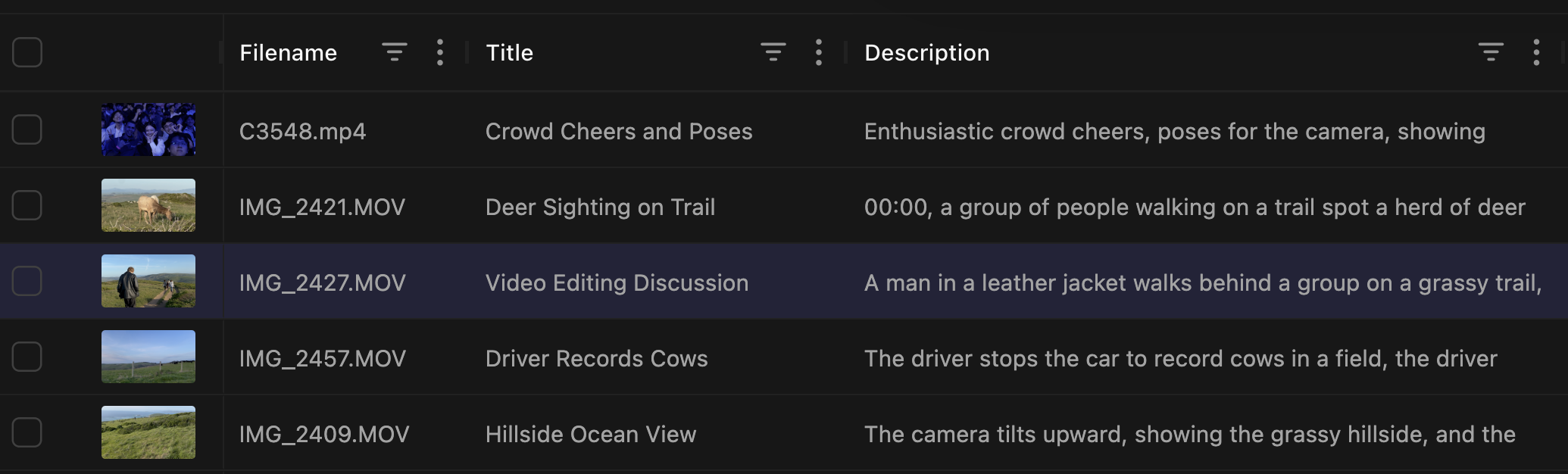
Whether it's raw footage, clips from YouTube, or a mix of both, every clip receives a readable title.
Filenames like `IMG_3923.MOV` can become `Brendan Backstage Interview Before Keynote`, which makes grid browsing much faster.
## What video logging means
Video logging is the process of analyzing footage and creating detailed descriptions of its content. Traditionally done manually by professional loggers, this time-consuming task involves watching every second of footage, often multiple times, and documenting what appears on screen.
Kino does that work during ingest, so editors can skim a library without opening every file.
## How Kino logging works
Kino combines multiple AI technologies to analyze your footage:
* Computer vision identifies objects, scenes, people, and actions.
* Speech recognition captures dialogue.
* [Face detection](/docs/people-detection) tracks people across your footage.
* Optional prompts can focus logs on details like jersey numbers, locations, or product names.
The result is time-coded metadata that helps you understand a clip before you play it.
## Features
Whether it's raw footage, clips from YouTube, or a mix of both, every clip receives a readable title.
Filenames like `IMG_3923.MOV` can become `Brendan Backstage Interview Before Keynote`, which makes grid browsing much faster.
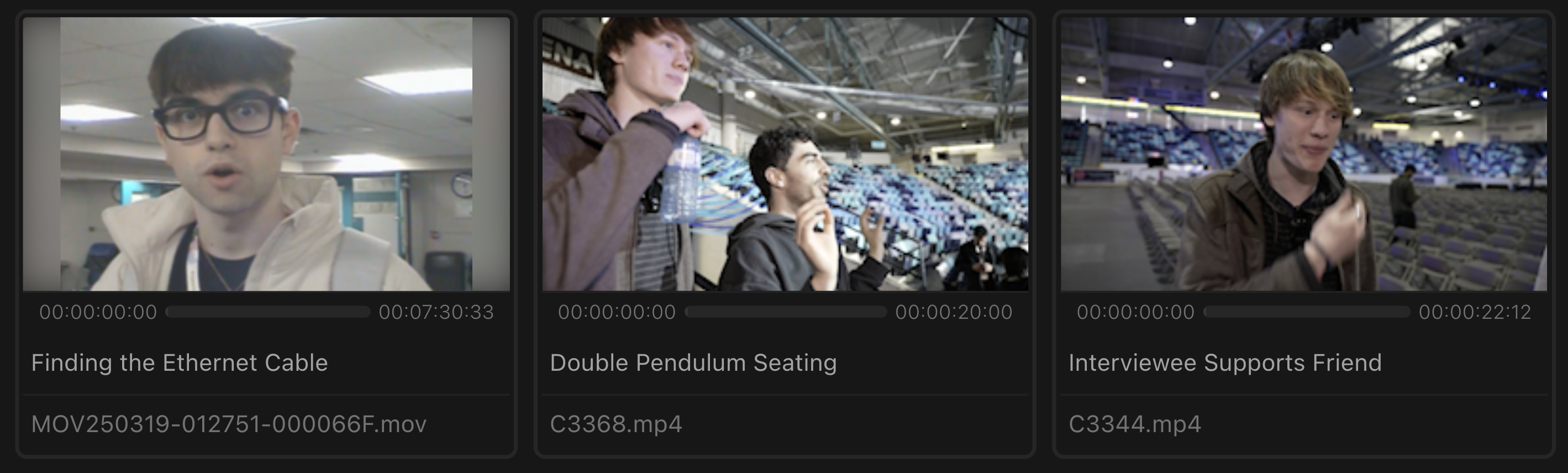 Kino descriptions can include:
* Visual elements and actions happening on screen
* Camera movement and shot type
* Dialogue context and quotes
* Setting and environment details
* Emotional tone and atmosphere of the scene
Use descriptions when a transcript alone is not enough to find the shot.
Kino descriptions can include:
* Visual elements and actions happening on screen
* Camera movement and shot type
* Dialogue context and quotes
* Setting and environment details
* Emotional tone and atmosphere of the scene
Use descriptions when a transcript alone is not enough to find the shot.
 Once you configure [people detection](/docs/people-detection), Kino's logs will incorporate the names of people in your library.
Named people make logs easier to read and search.
Once you configure [people detection](/docs/people-detection), Kino's logs will incorporate the names of people in your library.
Named people make logs easier to read and search.
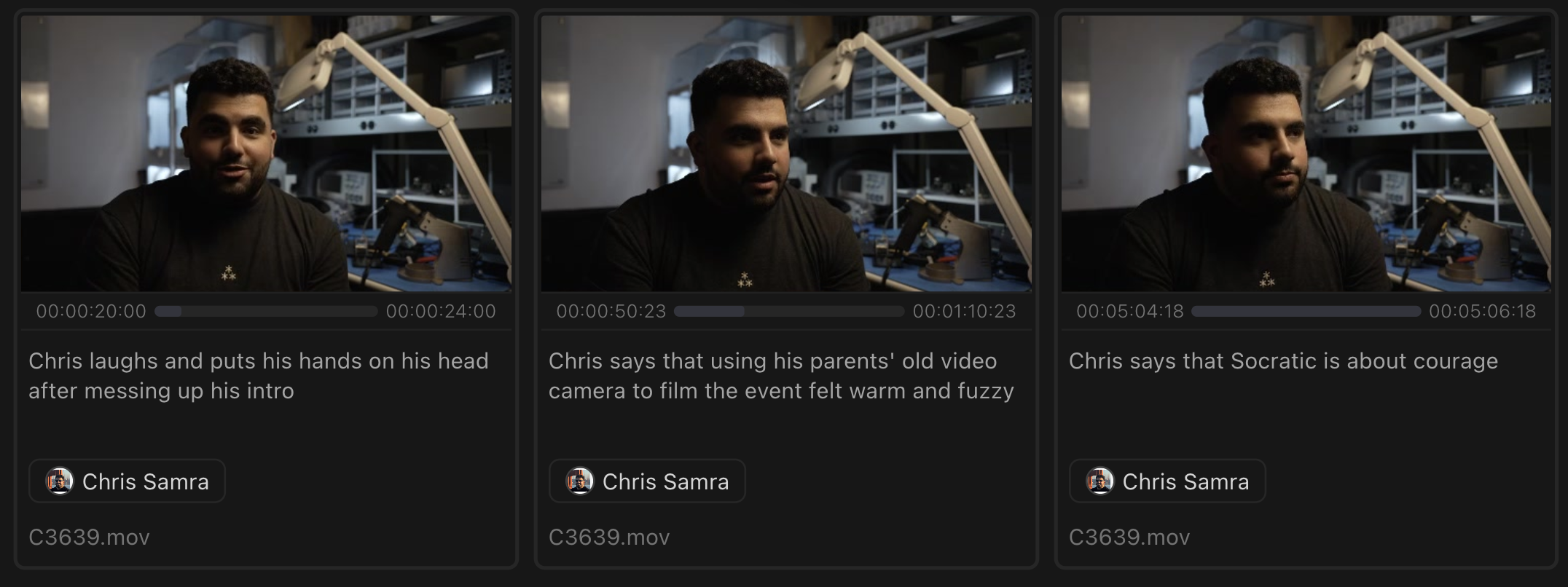 Kino can mark notable moments in footage:
* Creates a chapter-like experience similar to YouTube markers
* Makes footage review faster
* Adds another search target
* Provides edit points for rough cuts
Kino can mark notable moments in footage:
* Creates a chapter-like experience similar to YouTube markers
* Makes footage review faster
* Adds another search target
* Provides edit points for rough cuts
 ## Example use cases
For verité documentary footage with multiple characters:
1. Ingest 10+ hours of footage from your shoot
2. Kino identifies every person and describes every scene
3. Review a searchable database of logged moments
4. Face detection automatically groups scenes by character
5. Natural language descriptions allow you to search conceptually ("emotional conversation" or "urban landscape")
A 10-hour shoot becomes easier to scan without a manual first pass.
For multi-camera event coverage:
1. Ingest 20+ hours of footage from your shoot, across multiple cameras
2. Logging identifies best angles and moments from each camera
3. Descriptions note audience reactions and speaker highlights
4. Person detection can group appearances across cameras
Editors can jump straight to the strongest angles and reactions.
For sports footage:
1. Custom logging focuses on player movements, jersey numbers, and play development
2. Logs describe techniques, formations, and plays
3. Automatic highlight detection finds plays, scores, and dramatic moments
4. Person detection works based on jerseys in addition to faces, making up for helmets and partial visibility
Coaches and editors can quickly find specific plays or player performances across an entire season of footage.
## Getting started with logging
Import footage via drag-and-drop or storage integration
Kino handles everything automatically
Browse and search your logged footage
## Example use cases
For verité documentary footage with multiple characters:
1. Ingest 10+ hours of footage from your shoot
2. Kino identifies every person and describes every scene
3. Review a searchable database of logged moments
4. Face detection automatically groups scenes by character
5. Natural language descriptions allow you to search conceptually ("emotional conversation" or "urban landscape")
A 10-hour shoot becomes easier to scan without a manual first pass.
For multi-camera event coverage:
1. Ingest 20+ hours of footage from your shoot, across multiple cameras
2. Logging identifies best angles and moments from each camera
3. Descriptions note audience reactions and speaker highlights
4. Person detection can group appearances across cameras
Editors can jump straight to the strongest angles and reactions.
For sports footage:
1. Custom logging focuses on player movements, jersey numbers, and play development
2. Logs describe techniques, formations, and plays
3. Automatic highlight detection finds plays, scores, and dramatic moments
4. Person detection works based on jerseys in addition to faces, making up for helmets and partial visibility
Coaches and editors can quickly find specific plays or player performances across an entire season of footage.
## Getting started with logging
Import footage via drag-and-drop or storage integration
Kino handles everything automatically
Browse and search your logged footage