> ## Documentation Index
> Fetch the complete documentation index at: https://kino.ai/docs/llms.txt
> Use this file to discover all available pages before exploring further.
# Overview - What is Kino?
> Browser-native video editing, AI search, and collaboration
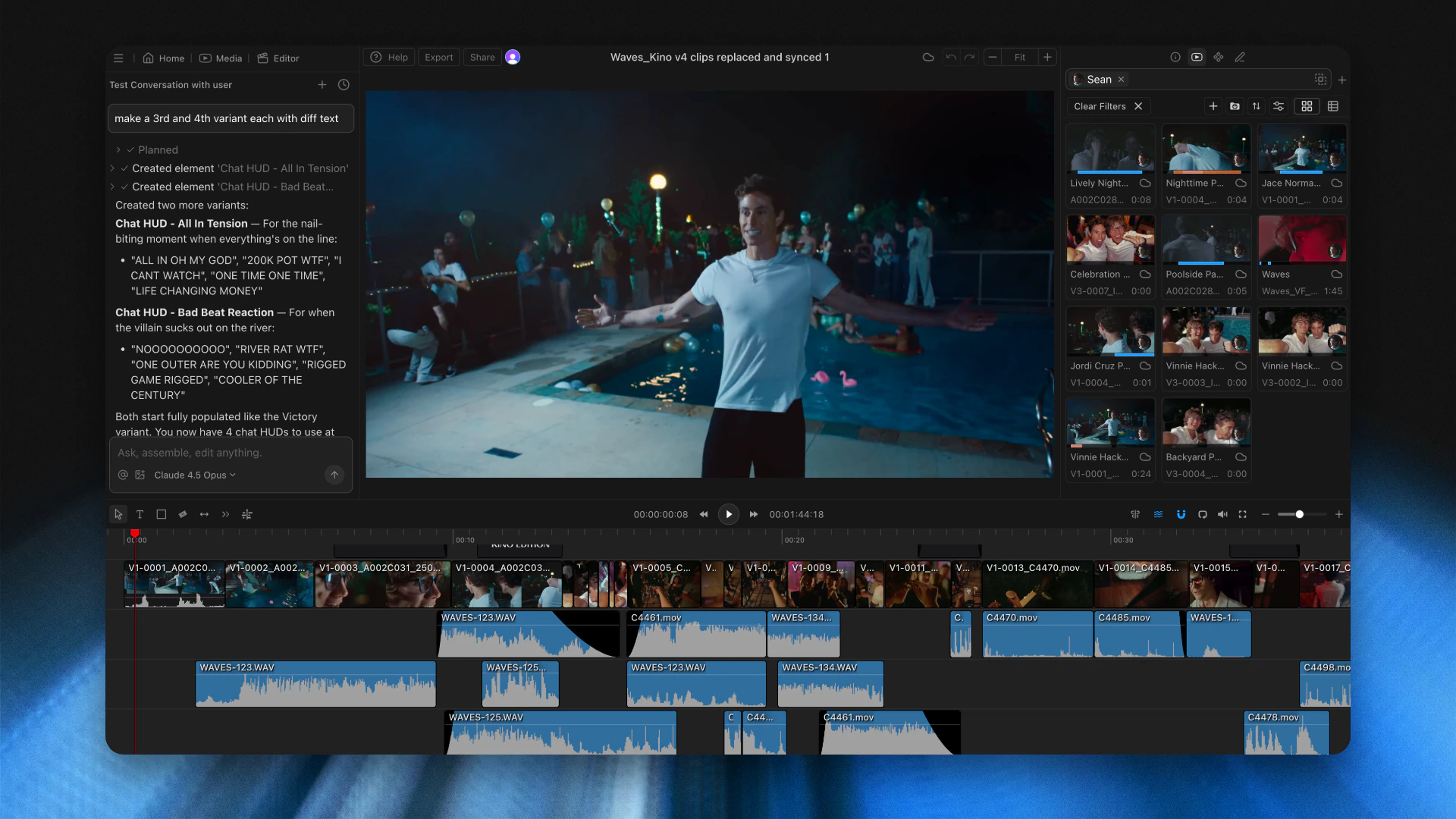
Kino is a browser-native video editor and media asset manager for teams working with large footage libraries.
 ## What you can do
* Build rough cuts, refine edits through conversation, and add clips to your timeline with a message.
* Find moments using natural language, transcript search, visual search, and people filters.
* Generate titles, lower thirds, animated backgrounds, and other motion graphics from a prompt.
* Share projects and timelines as URLs so teammates can edit together without project-file handoffs.
***
## Core features
Browser-native timeline editing with AI assistance and real-time collaboration.
Tag people, drag in clips, and build timelines through conversation.
Create titles, lower thirds, and animations by describing what you want.
Find moments by transcript, visual content, people, or natural language.
AI-generated titles, descriptions, and highlights for every clip.
Detect and track individuals across your entire library.
***
## Integrations
Import from DaVinci Resolve or Adobe Premiere Pro. Your project gets AI search, browser-native editing, and shareable URLs.
Make a Project Archive (.dra) to import your timeline and media.
Use a Project Manager archive (assets + .prproj) to import your timeline and media.
Final Cut Pro and Avid Media Composer import are not currently available.
***
## Get started
Create an account, check browser requirements, and start importing footage.
See what's new in Kino.
## What you can do
* Build rough cuts, refine edits through conversation, and add clips to your timeline with a message.
* Find moments using natural language, transcript search, visual search, and people filters.
* Generate titles, lower thirds, animated backgrounds, and other motion graphics from a prompt.
* Share projects and timelines as URLs so teammates can edit together without project-file handoffs.
***
## Core features
Browser-native timeline editing with AI assistance and real-time collaboration.
Tag people, drag in clips, and build timelines through conversation.
Create titles, lower thirds, and animations by describing what you want.
Find moments by transcript, visual content, people, or natural language.
AI-generated titles, descriptions, and highlights for every clip.
Detect and track individuals across your entire library.
***
## Integrations
Import from DaVinci Resolve or Adobe Premiere Pro. Your project gets AI search, browser-native editing, and shareable URLs.
Make a Project Archive (.dra) to import your timeline and media.
Use a Project Manager archive (assets + .prproj) to import your timeline and media.
Final Cut Pro and Avid Media Composer import are not currently available.
***
## Get started
Create an account, check browser requirements, and start importing footage.
See what's new in Kino.