> ## Documentation Index
> Fetch the complete documentation index at: https://kino.ai/docs/llms.txt
> Use this file to discover all available pages before exploring further.
# Job Processing
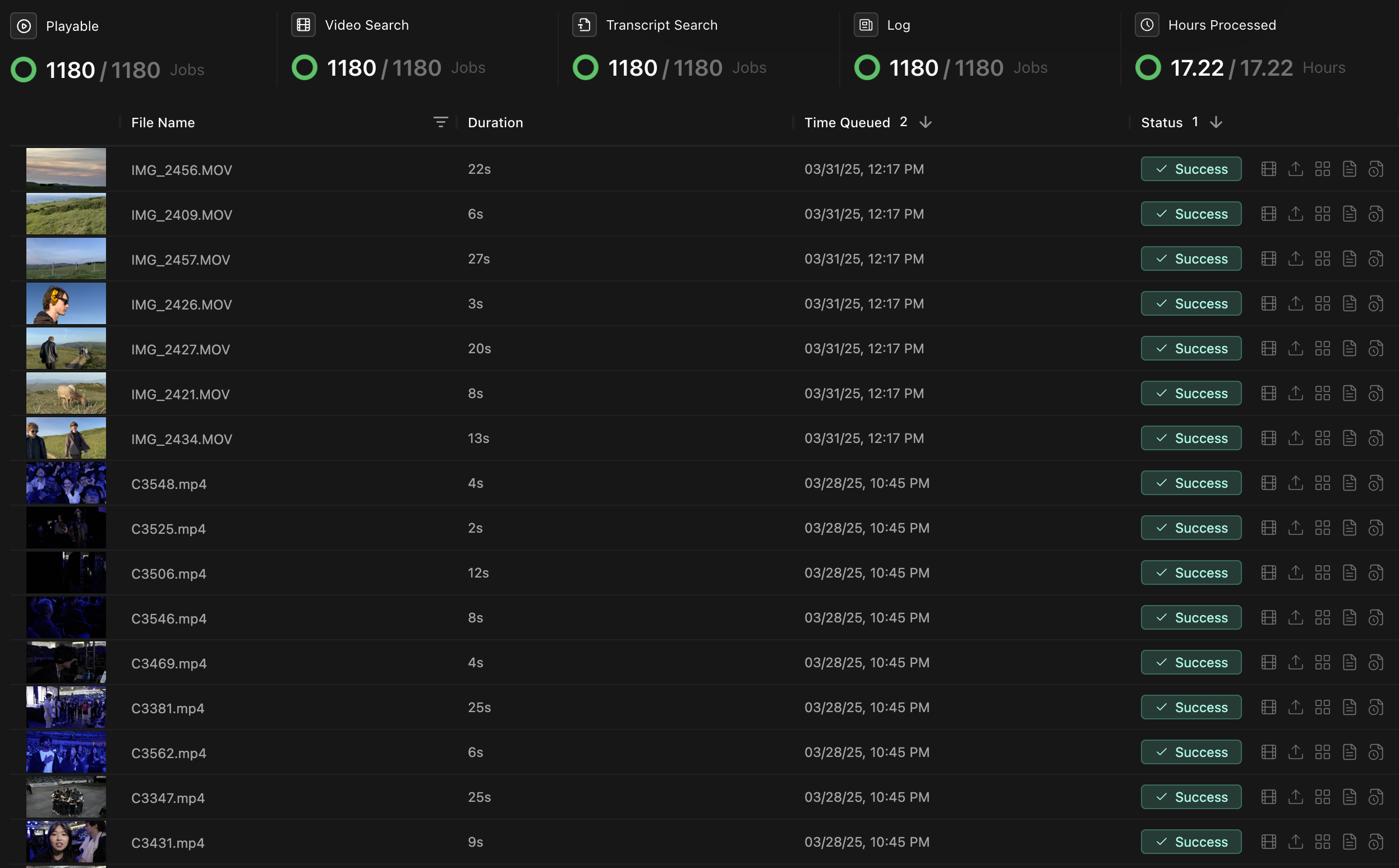
Monitor the jobs Kino runs after you upload or import media: transcription, visual analysis, logging, and proxy generation.
 ## Job types
Jobs run in parallel when possible. Each one adds a different kind of metadata to your footage.
| Job Type | Description | Typical Duration | Output |
| -------------------------------- | ------------------------------------------------------------------------- | ---------------- | ----------------------------------------- |
| **Transcription** | Converts spoken dialogue into searchable text with speaker identification | 1-2× real-time | Time-coded transcript with speaker labels |
| **Visual Processing** | Identifies objects, people, scenes, and visual elements | 1-3× real-time | Time-coded visual metadata |
| **Natural Language Description** | Creates clip descriptions for logging | 3-5× real-time | Natural-language descriptions and tags |
| **Proxy generation** | Creates proxies for remote playback and collaboration | 0.5-1× real-time | Video proxies for playback |
## Troubleshooting
### Common issues
| Issue | Possible Cause | Solution |
| -------------------------- | ------------------------------------------------------ | --------------------------------------------------------------------------------- |
| Jobs stuck at "Processing" | System resource limitations or unsupported file format | Check system resources, verify file compatibility, or restart the job |
| Slow processing speeds | Insufficient hardware resources or network limitations | Allocate more CPU/GPU resources or check network connection |
| Failed transcription jobs | Poor audio quality or unsupported language | Check audio tracks, or manually provide transcription for heavily accented speech |
| Missing visual analysis | Very dark or blurry footage | Adjust detection sensitivity in settings or add manual tags |
### More troubleshooting
For persistent issues:
* Restart Kino to refresh connections.
* Update to the latest version.
* Check that you have enough disk space for temporary files.
* Contact [support@kino.ai](mailto:support@kino.ai) or join our [Discord](https://discord.gg/JZUyMft24b).
## Job types
Jobs run in parallel when possible. Each one adds a different kind of metadata to your footage.
| Job Type | Description | Typical Duration | Output |
| -------------------------------- | ------------------------------------------------------------------------- | ---------------- | ----------------------------------------- |
| **Transcription** | Converts spoken dialogue into searchable text with speaker identification | 1-2× real-time | Time-coded transcript with speaker labels |
| **Visual Processing** | Identifies objects, people, scenes, and visual elements | 1-3× real-time | Time-coded visual metadata |
| **Natural Language Description** | Creates clip descriptions for logging | 3-5× real-time | Natural-language descriptions and tags |
| **Proxy generation** | Creates proxies for remote playback and collaboration | 0.5-1× real-time | Video proxies for playback |
## Troubleshooting
### Common issues
| Issue | Possible Cause | Solution |
| -------------------------- | ------------------------------------------------------ | --------------------------------------------------------------------------------- |
| Jobs stuck at "Processing" | System resource limitations or unsupported file format | Check system resources, verify file compatibility, or restart the job |
| Slow processing speeds | Insufficient hardware resources or network limitations | Allocate more CPU/GPU resources or check network connection |
| Failed transcription jobs | Poor audio quality or unsupported language | Check audio tracks, or manually provide transcription for heavily accented speech |
| Missing visual analysis | Very dark or blurry footage | Adjust detection sensitivity in settings or add manual tags |
### More troubleshooting
For persistent issues:
* Restart Kino to refresh connections.
* Update to the latest version.
* Check that you have enough disk space for temporary files.
* Contact [support@kino.ai](mailto:support@kino.ai) or join our [Discord](https://discord.gg/JZUyMft24b).