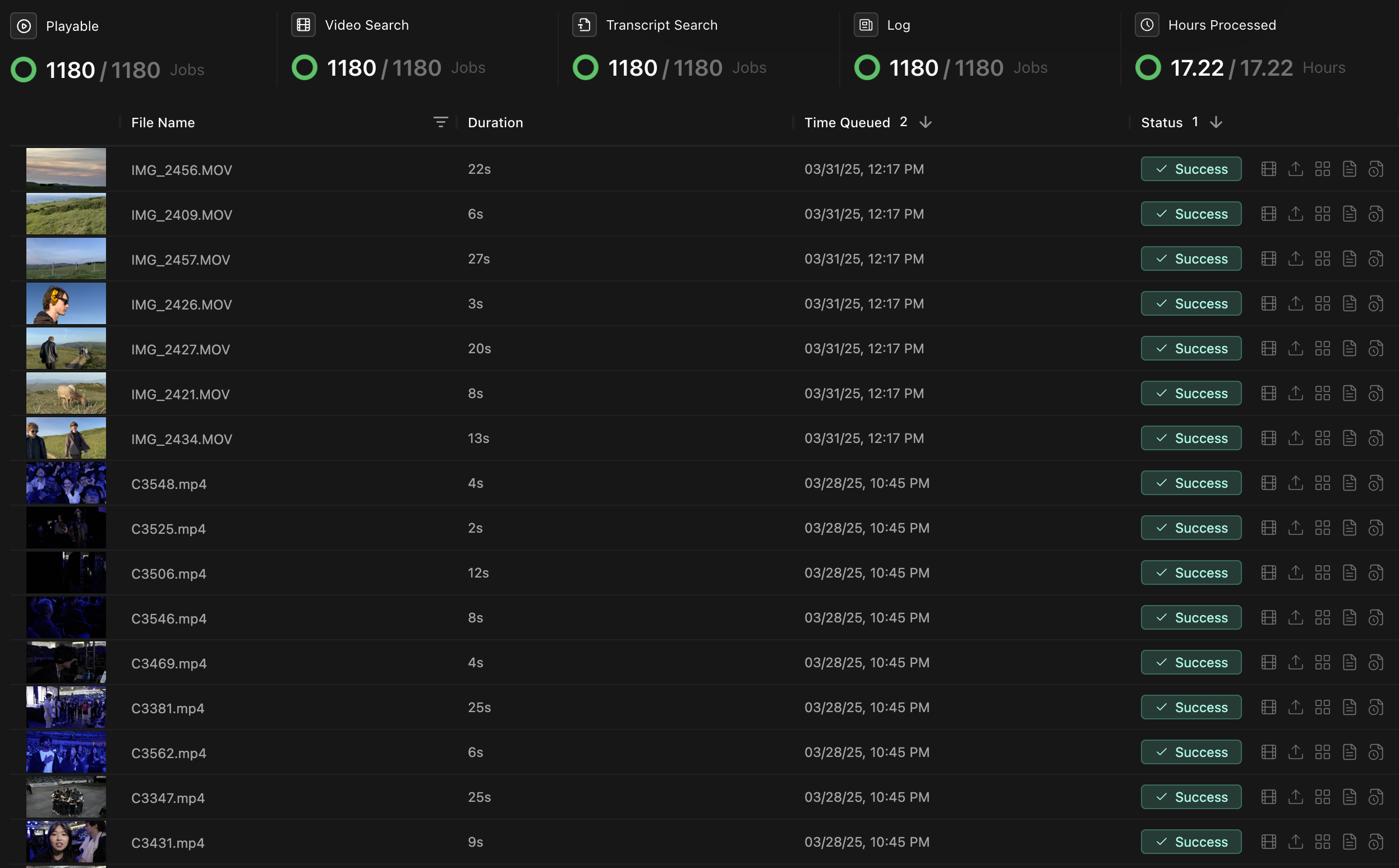
Monitor the jobs Kino runs after you upload or import media: transcription, visual analysis, logging, and proxy generation.
Kino AI's Jobs Dashboard showing processing status of video files

Job types

Jobs run in parallel when possible. Each one adds a different kind of metadata to your footage.
Job TypeDescriptionTypical DurationOutput
TranscriptionConverts spoken dialogue into searchable text with speaker identification1-2× real-timeTime-coded transcript with speaker labels
Visual ProcessingIdentifies objects, people, scenes, and visual elements1-3× real-timeTime-coded visual metadata
Natural Language DescriptionCreates clip descriptions for logging3-5× real-timeNatural-language descriptions and tags
Proxy generationCreates proxies for remote playback and collaboration0.5-1× real-timeVideo proxies for playback

Troubleshooting

Common issues

IssuePossible CauseSolution
Jobs stuck at “Processing”System resource limitations or unsupported file formatCheck system resources, verify file compatibility, or restart the job
Slow processing speedsInsufficient hardware resources or network limitationsAllocate more CPU/GPU resources or check network connection
Failed transcription jobsPoor audio quality or unsupported languageCheck audio tracks, or manually provide transcription for heavily accented speech
Missing visual analysisVery dark or blurry footageAdjust detection sensitivity in settings or add manual tags

More troubleshooting

For persistent issues:
  • Restart Kino to refresh connections.
  • Update to the latest version.
  • Check that you have enough disk space for temporary files.
  • Contact support@kino.ai or join our Discord.